AI has quickly become part of the everyday creative workflow. Designers still research, sketch, prototype, review, and refine, but many of these steps now connect faster. A rough brief can become several visible directions within minutes, helping teams discuss ideas before spending time polishing the wrong one.
Article summary
Key takeaways
- AI speeds up exploration and repetitive production work.
- Human judgment remains essential for strategy, quality, and originality.
- The best results come from editable workflows, not one perfect prompt.
Faster creative exploration
The biggest change is not that AI can generate an image. It is that teams can now explore more possibilities while a project is still flexible. Designers can compare layouts, visual moods, campaign concepts, interface styles, or content structures before committing to one direction.
This makes early reviews more useful. Instead of presenting a single polished concept, a designer can show several distinct routes and explain the thinking behind each one. Stakeholders can respond to something visible, and weak ideas can be rejected before they become expensive.
However, the quality of the output still depends on the quality of the brief. A vague request usually produces generic design. Clear goals, audience needs, brand rules, emotional tone, and practical constraints give the tool something meaningful to work with.
Editable output matters
A visually impressive result is not automatically useful. Professional design requires control over typography, hierarchy, colour, spacing, content, brand consistency, and responsive behaviour. Teams must be able to revise the work after feedback rather than start again from a new prompt.
That is why editable AI workflows are more valuable than isolated image generation. The strongest tools support repeated refinement, visual consistency, asset editing, and closer integration with the software designers already use.
AI works best as a starting point or production assistant. It can reduce blank-page time, create temporary assets, generate variations, or help communicate an idea. The designer still turns those outputs into a coherent and usable system.
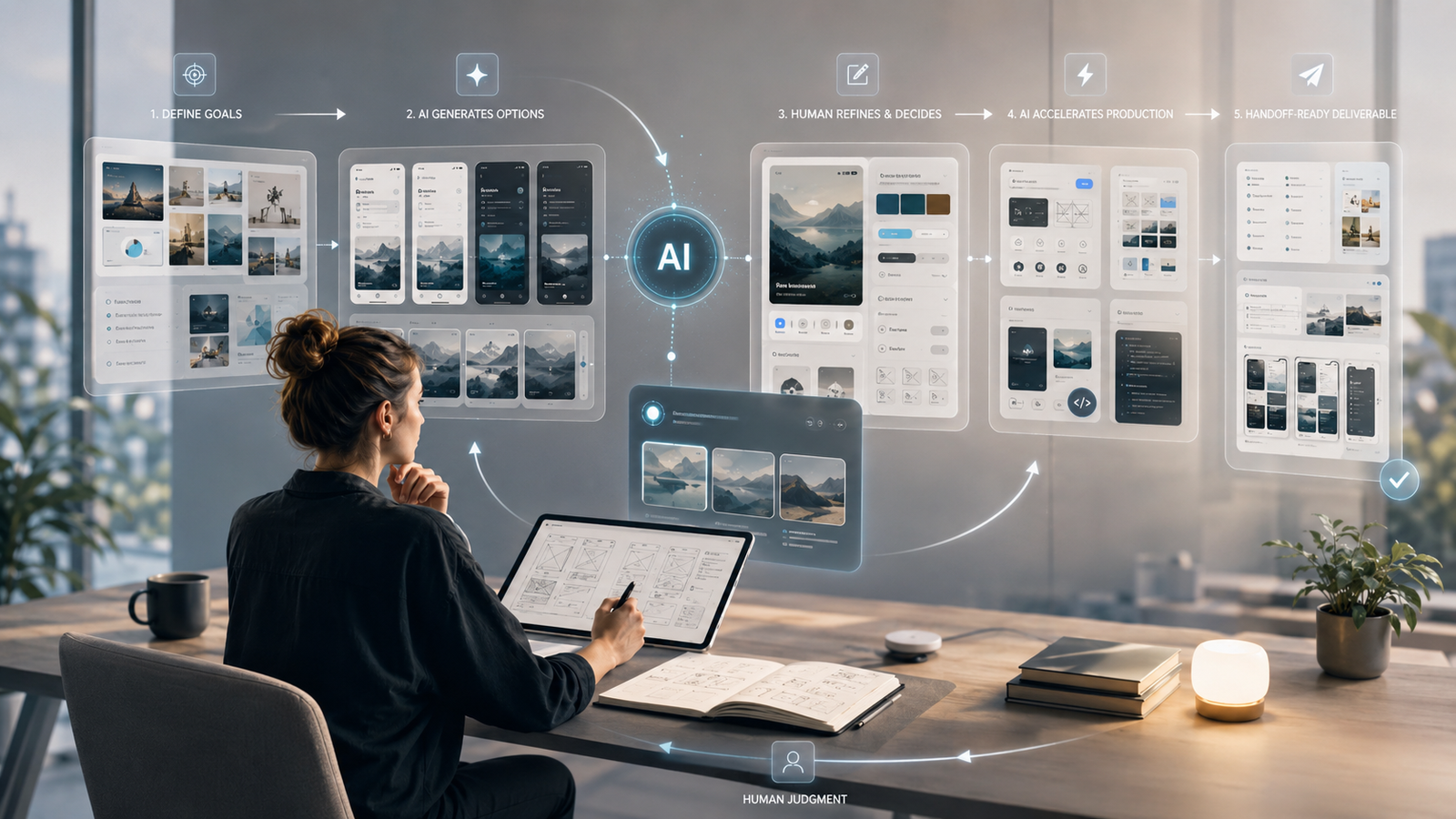
The future of creative AI is not one perfect prompt. It is a continuous cycle of direction, output, feedback, and refinement.
The designer's role is changing
As software handles more repetitive tasks, the designer's value moves toward problem framing, art direction, decision-making, and quality control. Generating twenty concepts is easy. Choosing the right concept for the product, audience, and business is still difficult.
AI does not automatically understand user behaviour, accessibility, technical limits, cultural sensitivity, or the internal realities of a project. Designers must provide that context and judge whether the final direction is clear, appropriate, and realistic.
- Define the problem before generating solutions.
- Select ideas based on strategy, not novelty.
- Protect usability, accessibility, and brand consistency.
- Translate concepts into reusable components and production rules.
A practical AI-assisted workflow
A simple process keeps AI useful without allowing it to control the project.
- Clarify the objective, audience, constraints, and desired outcome.
- Collect trusted research, references, brand assets, and product requirements.
- Generate several clearly different directions rather than polishing the first result.
- Curate the strongest ideas using strategy, originality, usability, and feasibility.
- Rebuild the selected direction as editable layouts, components, and reusable assets.
- Validate the work with users, stakeholders, designers, and developers.
Where AI still falls short
Fast generation can make weak work appear finished. AI may produce inaccurate details, inconsistent visuals, generic compositions, or interfaces that look polished but do not support real user needs.
Creative teams must also consider privacy, permissions, copyright, commercial use, and the way uploaded assets are handled. These concerns should be reviewed before AI-generated work reaches a client or production environment.
The goal is not to generate the most material. It is to create more time for thinking, testing, and refinement. Speed is valuable only when it leads to better decisions.
Final perspective
AI accelerates creativity, not responsibility
AI is reshaping design by making exploration, editing, prototyping, and production faster. It gives teams more options and reduces repetitive work.
But strong design still depends on people who understand the problem, choose the direction, protect the user, and turn ideas into a consistent system. The most effective teams are not replacing their creative process with AI. They are building a better process around it.